Photo to video
Product ad video: your photo, a turntable clip and a voice that sells it
A shop-floor photo is enough. The product is placed on a clean studio backdrop, unchanged, and filmed turning slowly as the camera eases in. A short script is written from your facts — what it is for, two or three real details, a closing line — read in the voice you choose, burned in sentence by sentence as captions, with music underneath. Nothing is claimed that you did not type.
What you get
- The ad, 9:16
- Script
- Studio shot
- Voice track on its own
105 credits per run
Free to try — sign in when you generate.
How it works
- 1Upload a product photo and type the facts
- 2Pick a voice, music and caption style
- 3Post the ad; the studio shot works as a listing image too
A real run
Made with this page and not retouched — what went in comes first.
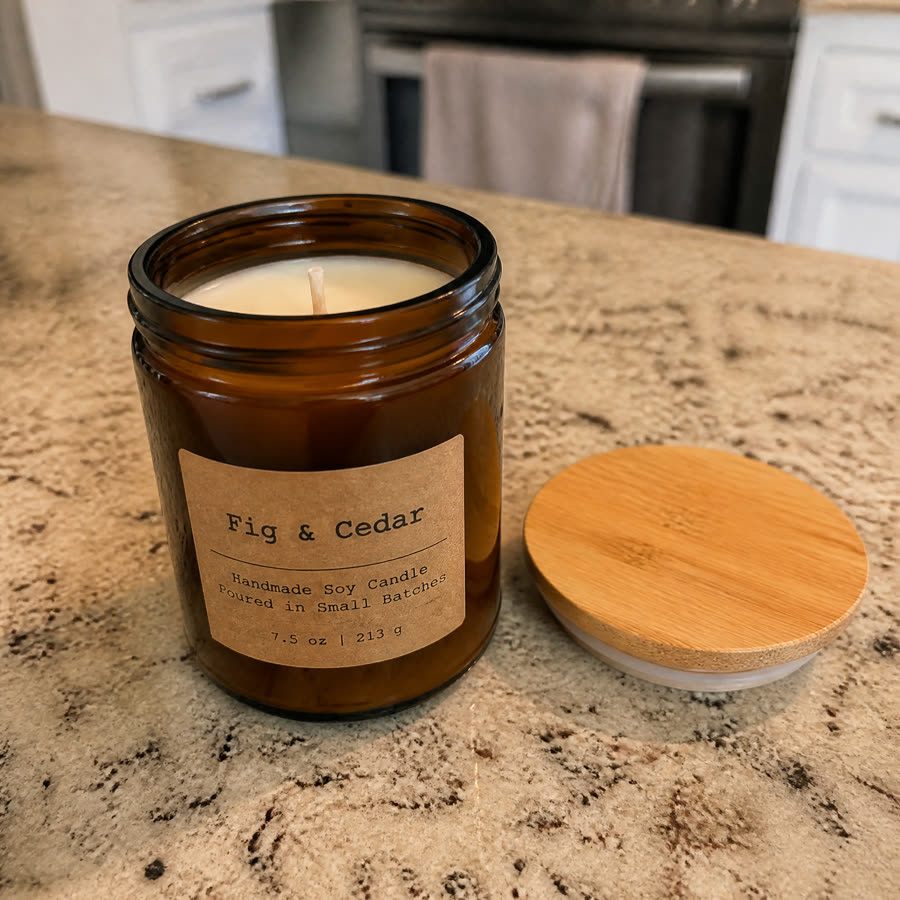
Product: Fig & Cedar soy candle
Facts: hand-poured soy wax, cotton wick, 200 g amber glass jar with a bamboo lid, about 40 hours of burn time, made in small batches
Voice Serena · soft jazz · bold captions
Made for slow evenings at home. Fig and Cedar is a hand-poured soy candle. It burns with a cotton wick. Each one is poured in small batches. It comes in a 200 gram amber glass jar. A bamboo lid keeps it covered. You get about 40 hours of burn time. Light it. Let the evening settle.
FAQ
Does the product stay the same?
The studio shot is made from your photo with instructions to keep the exact shape, colours, label and text; the clip is filmed from that shot. Look at the frames before posting — a wrong detail is a wrong ad.
Why does the clip loop?
The turntable clip is 5 seconds and the voice runs 15 to 25; the clip repeats under the voice rather than cutting the voice short. Keep the facts to three or four and the loop is barely noticed.
Can I use my own script?
Not on this page — the script is written from your facts so it fits the length. For your own words over this kind of clip, make the studio shot here, then use Add a voiceover to a video on the Product video from a photo result.
Can I use the results commercially?
Yes, on every plan, the free one included — what you make is yours, subject to the Terms and to the rights in what you upload.
Is it free to try?
Yes — new accounts get free credits. Generating signs you in; paid plans add more monthly credits.